

Overview
A subdomain is your personal space in PixDeliver. Once it is set up, all of your galleries and selections are available at a professional-looking addressyourstudio.pixdeliver.com, instead of the basic pixdeliver.com/g/gallery-name.
Key information:
- The subdomain is assigned to your account, not to a single gallery — one subdomain covers all of your galleries and selections
- The feature is free and available on every plan (even without an active Studio plan)
- The subdomain is optional — without it, galleries still work at the basic address
pixdeliver.com/g/... - It does not require DNS configuration on your end — we handle everything automatically
Do you have the Studio plan? You can go a step further and share galleries under your custom domain (e.g.
gallery.yourstudio.com). The custom domain then takes priority, while the subdomain remains active as a backup address. See: Custom domain.How to set up a subdomain
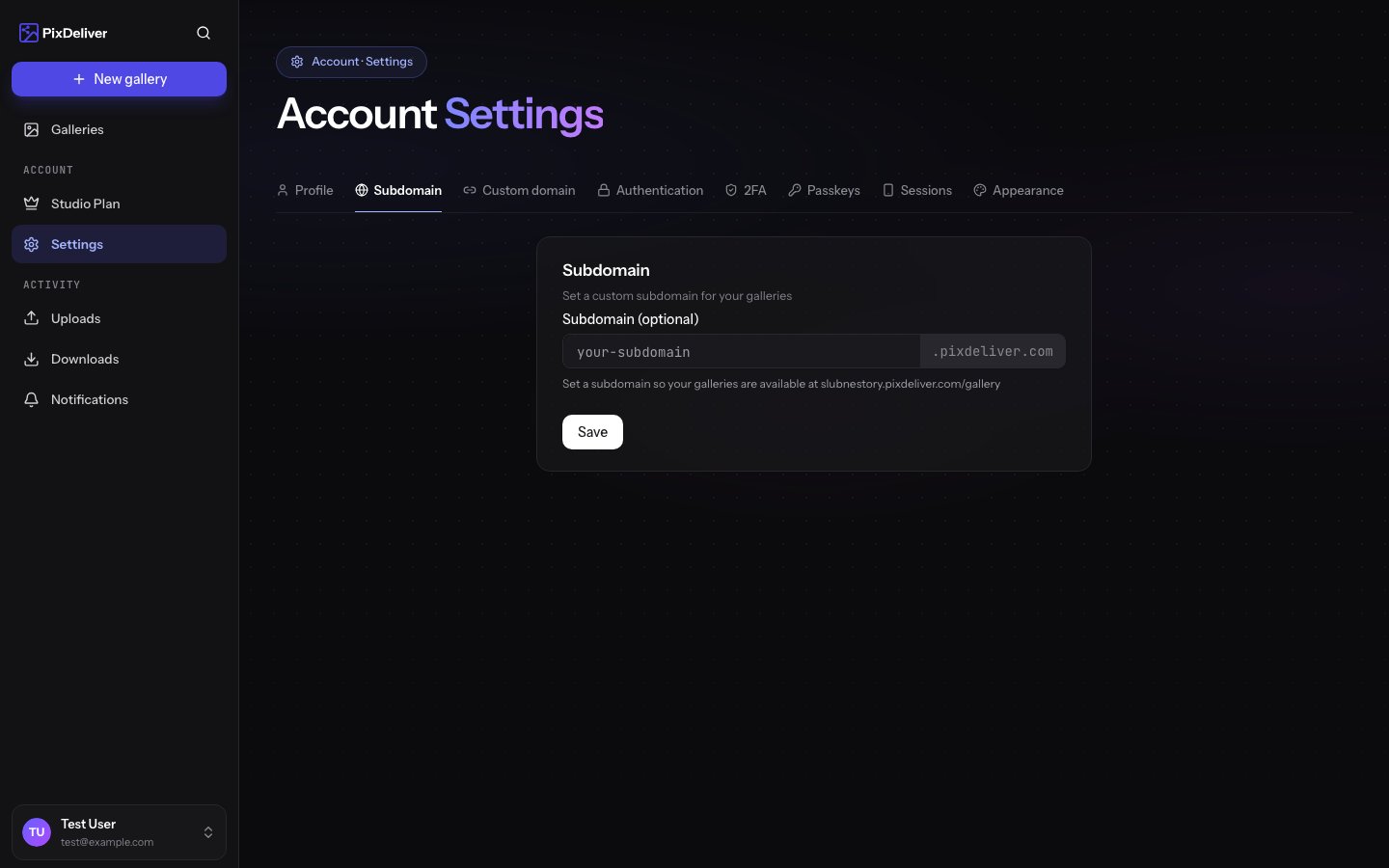
Instructions:- Go to Settings → Profile
- In the Subdomain (optional) field, enter your chosen name
- The system checks availability in real time — you will see a message:
- “Checking availability…”
- ✓ “This subdomain is available”
- ✗ “The subdomain is taken, reserved, or has an invalid format”
- Click Save
Name requirements
- Length: from 3 to 63 characters
- Allowed characters: lowercase letters (
a-z), digits (0-9), hyphens (-) - Cannot start or end with a hyphen
- Must be unique across the entire system
- Reserved words are blocked — including
www,api,admin,mail,app,cdn,dev,test,staging,dashboard,support,blog,shop, and dozens of other technical prefixes
URLs after setting up a subdomain
Once you have a subdomain set up (e.g.kowalski), your galleries and selections are available at short addresses:
Without a subdomain, the same resources are available at the basic addresses:
After setting up a subdomain, both formats usually still work, but it is recommended to share only the subdomain version — it looks more professional and builds brand recognition.
Changing the subdomain
You can change the subdomain name at any time in Settings → Profile. After changing the subdomain you must:- Copy the new gallery links from the management panel
- Send the updated links to clients who have not yet downloaded their photos
- Update the links on your business website, in emails, and on business cards
Removing the subdomain
If you want to return to the basicpixdeliver.com/g/... addresses:
- Go to Settings → Profile
- Clear the subdomain field (leave it empty)
- Save
Access limits
Subdomains have the same anti-abuse protections as the basic addresses:
The limits apply to public access and are invisible to a typical user — they protect galleries from automated downloading.
Frequently asked questions
Can I use my own domain (e.g.foto.moja-strona.pl)?
Yes — as part of the Studio plan. You can connect your own domain instead of a subdomain; you will find the configuration details in the Custom domain guide. On the other plans, the free *.pixdeliver.com subdomain is available.
Does the subdomain cost anything?
No. The feature is free and available on every plan — even if you do not have any active paid gallery.
Do I need to configure DNS or buy a domain?
No. We handle everything automatically on the PixDeliver side.
Can each gallery have its own separate subdomain?
No. The subdomain is shared across the entire account — it covers all of your galleries and selections.
What happens when someone releases an attractive subdomain?
Subdomains work on a first-come, first-served basis. There is no queue and no notifications about names being released.
Does the basic address pixdeliver.com/g/{slug} stop working after setting up a subdomain?
The basic address still works. However, we recommend sharing only the subdomain version.
Related topics
- Public links - Everything about sharing galleries with clients
- Custom domain - Share galleries under your own domain (Studio plan)
- Account settings - Full overview of profile settings
- Creating a gallery - The first step to sharing photos